
You can pay monthly or annually and switch between billing cycles at any time for yourself or your team members without affecting the Pro plan.
Switching the billing cycle
-
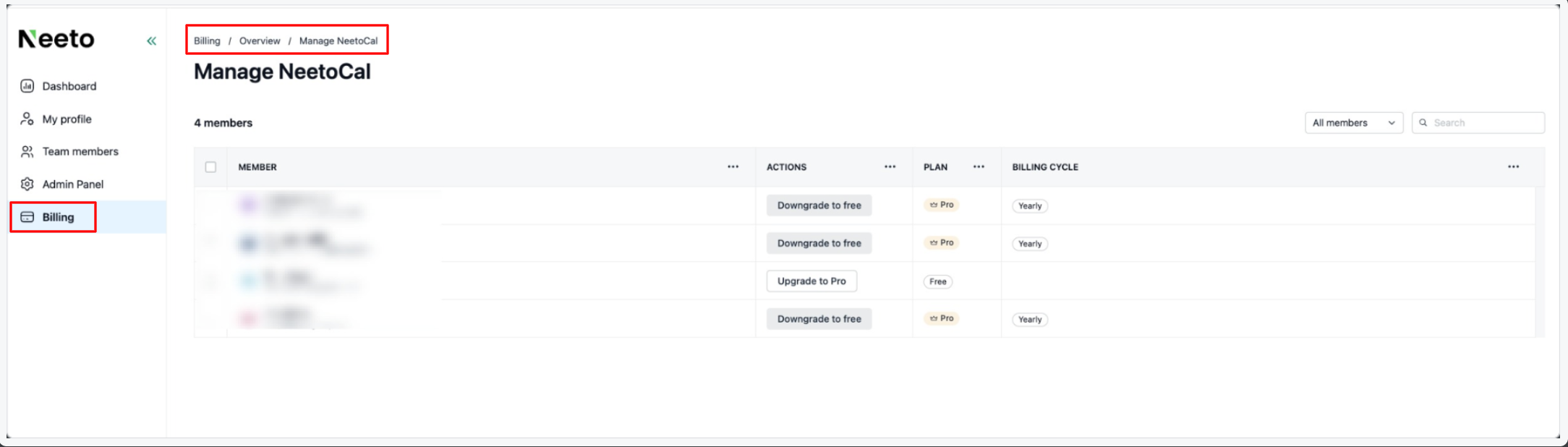
From the left sidebar, click Billing from NeeotAuth.
If you're currently in another Neeto product (like NeetoCal or NeetoRecord), you'll need to visit NeetoAuth first using this URL:
yoursubdomain.neetoauth.com/adminFor example: For
spinkartsubdomain URL would bespinkart.neetoauth.com/admin Click on Overview.
On the All Products tab, click the product whose Pro members you want to update.
Select the checkbox next to each member you want to switch. The selected members must all be on the same current cycle, either all monthly or all yearly.
Click Take action, then click Change billing cycle.
In the side pane, under Billing cycle, choose Annual subscription or Monthly subscription. The current cycle is disabled.
Click Continue.
The Pro Plan column refreshes to show the new billing cycle for each member.