
This feature gives you full control over where your videos can be watched. You can restrict video playback to specific websites, ensuring your content stays exactly where you intended it to be.
If you create paid courses, private educational content, or internal company demos, you likely don't want your videos being embedded or shared on unauthorized websites. By whitelisting your own domain, the video will simply refuse to play if someone tries to embed it elsewhere.
For all embedded recordings
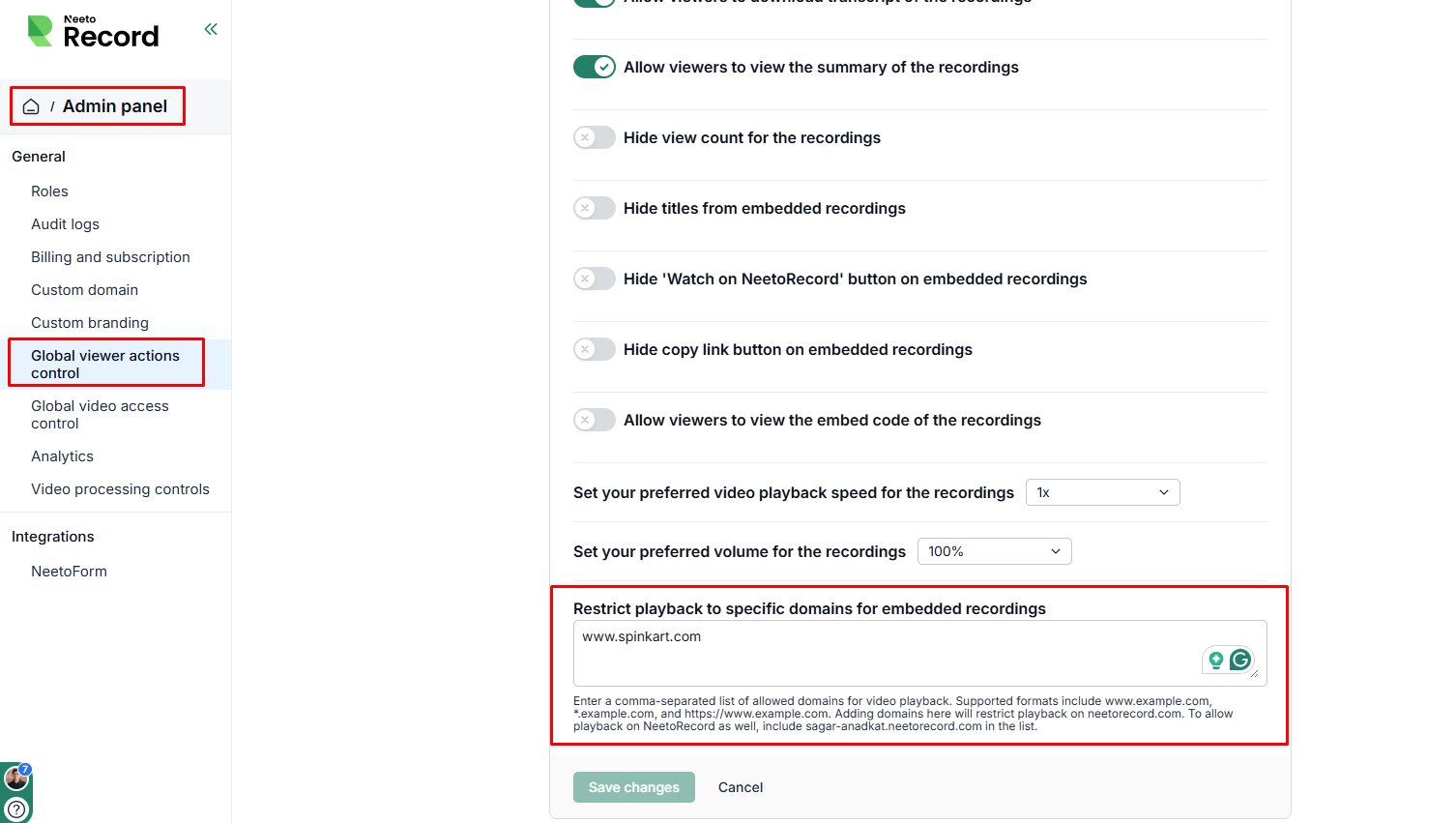
Go to the Admin panel.
Open Global viewer action controls.
Enter domain under Restrict playback to specific domains for embedded recordings.
Click on Save changes.
To allow playback on NeetoRecord as well, include <your-workspace>.neetorecord.com in the list.
For specific embedded recording
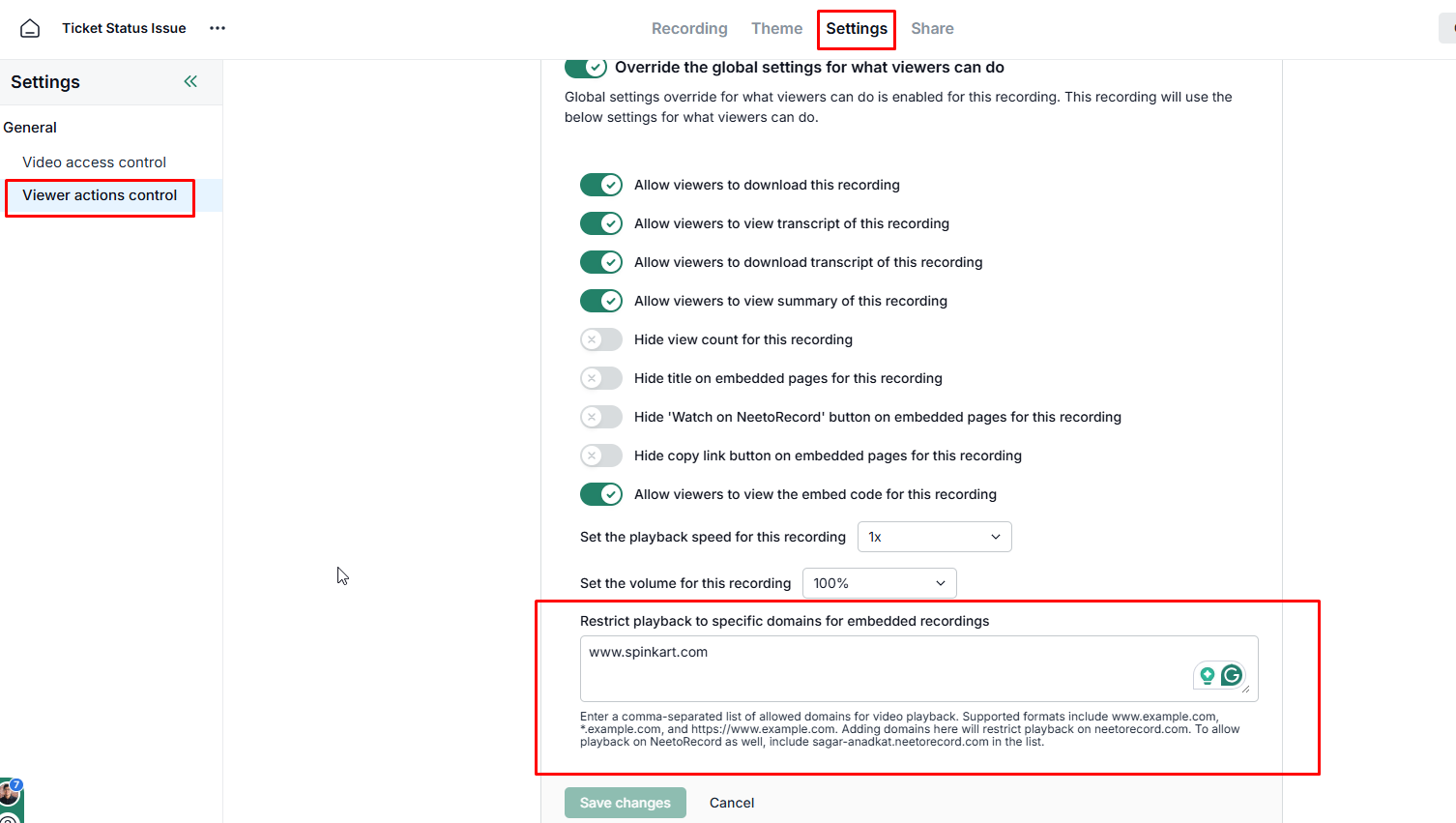
Click on specific NeetoRecord video you want to restrict the video.
Click on Settings tab.
Enable Override the global settings for what viewers can do.
Enter the specific domains where this video is allowed to play.
Click on Save changes.