

Noise cancellation is great for when you are recording in noisy environments such as an office or a cafe. Using the noise cancellation feature, you can bring more focus to what you say and ensure that your audio is crystal clear.
Removing audio noise from a recording
Open the recording you want to clean up.
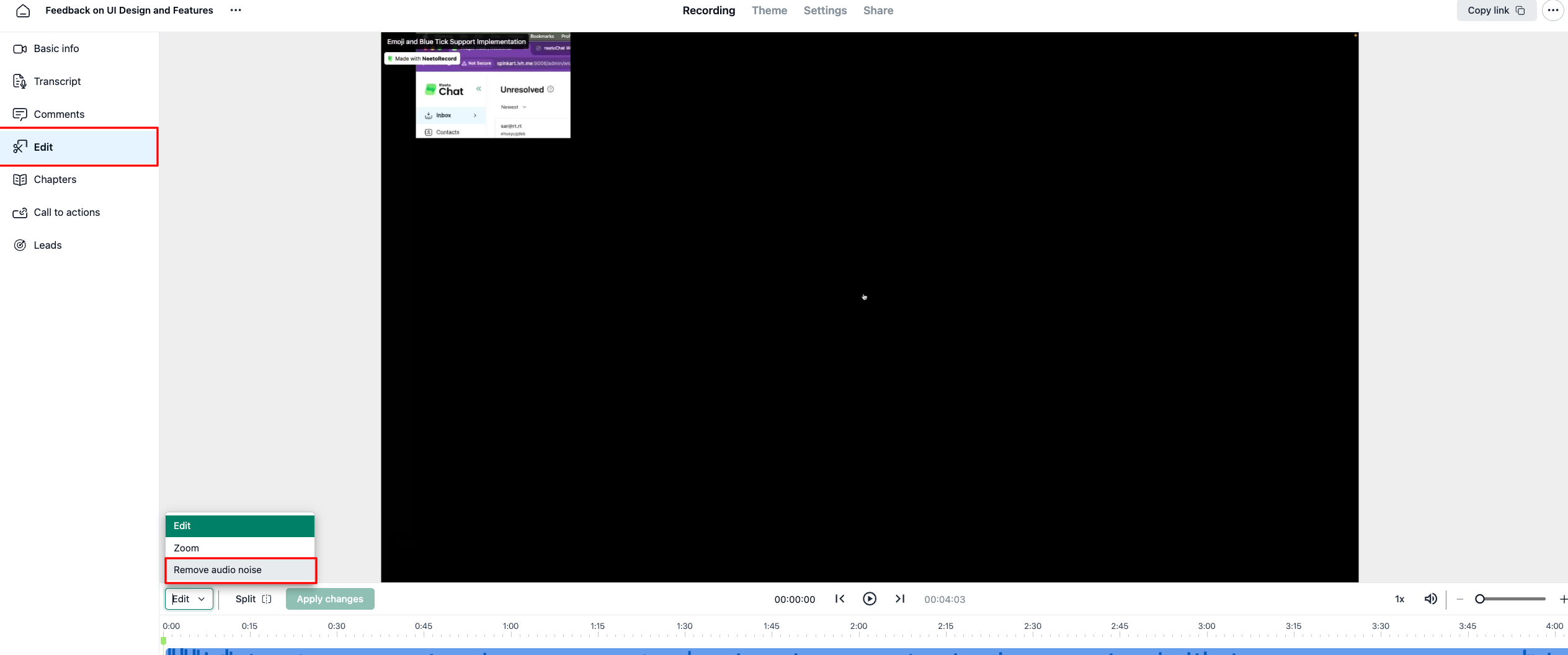
Click Edit in the left sidebar.
Open the edit mode dropdown at the bottom of the player and select Remove audio noise.
In the confirmation dialog, click Remove audio noise to start.
Wait for the processing to finish. The time it takes depends on the length of your recording.
That's it. NeetoRecord will scan the audio track, reduce background noise, and replace the original audio with the cleaned version.
Bring back the original audio
You can always go back to the original recording.
Open the recording.
Click Edit in the left sidebar.
Click Revert to original in the toolbar.
This restores the recording exactly as it was before noise cancellation.